
< Browse the Survey Templates + Write another survey

Mental Toughness Questionnaire - Psychometric Test

Preview the Survey
+ Add to Projects
Interval Icon Interval Versions

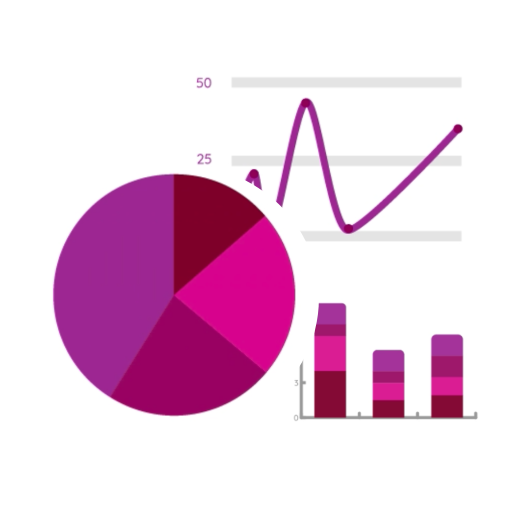
Explore bar charts, pie charts and outcome rings. Download graphs, export raw results and see tabulated responses to each question.

Understand how people’s answers change over time. Browse a table showing a row for each respondent and a column for each question time a question has been answered.

See the scores and verdicts from survey responses over time. See whose improved, worsened or stayed the same and the mean averages.

About

Uploaded by: Makerble Templates

Mental toughness is about how effectively individuals deal with stress, pressure, and challenge. It describes the mindset that every person adopts in everything they do and is closely related to qualities such as character, resilience, and grit. We can measure these qualities with the MTQ. Most psychometrics focus on the measurement of behaviors (how we act) and attributes (how we feel) – the MTQ looks at how we think which is a key driver for the development of behavior and attributes. Research carried out under the direction of Professor Peter Clough has identified the four key components of MT. These are called the 4 Cs – Control, Commitment, Challenge, and Confidence.

Number the questions (only when viewed internally)

Q1. On the scale of 1-10 rate your overall mental toughness

Question Settings ▼ ▲


Q2. On the scale of 1-10 rate your control level

Question Settings ▼ ▲


Q3. On the scale of 1-10 rate your emotional control

Question Settings ▼ ▲


Q4. On the scale of 1-10 rate your life control

Question Settings ▼ ▲


Q5. On the scale of 1-10 rate your confidence level

Question Settings ▼ ▲


Q6. I've been feeling calm (single choice)

Question Settings ▼ ▲

1 2 3 4 5

Dropdown List used: I think good things will happen in my life

Q7. I've been feeling cheerful about things (single choice)

Question Settings ▼ ▲

1 2 3 4 5

Dropdown List used: I think good things will happen in my life

Q8. I've been feeling relaxed: (single choice)

Question Settings ▼ ▲

1 2 3 4 5

Dropdown List used: I think good things will happen in my life

Q9. I've been in a good mood (single choice)

Question Settings ▼ ▲

1 2 3 4 5

Dropdown List used: I think good things will happen in my life

Q10. I've been getting on well with people (single choice)

Question Settings ▼ ▲

1 2 3 4 5

Dropdown List used: I think good things will happen in my life

Q11. I enjoy what each new day brings (single choice)

Question Settings ▼ ▲

1 2 3 4 5

Dropdown List used: I think good things will happen in my life

*Q12. Date the activity actually happened

*Q13. Your name (this will be attached to a person's response when the survey is completed anonymously)

Collect survey responses

360°
360°
Invite observers to answer a survey about a contact in your CRM. Send out invitations for several contacts at once via email, SMS or your own channels.

Collect Responses

Universal
Universal
Allow anyone with the link to submit a survey response.
Optionally generate a QR code.
Share Link

Tracked
Tracked
Track responses to individual contacts. Send survey invitations via email and SMS - with automated reminders - or your own communication channels.
Collect Responses

Anonymised
Anonymised
Hide the identity of each respondent when collecting responses from saved contacts or a list of email addresses.
Collect Responses

Import
Import
Upload survey responses from a spreadsheet with a row per respondent and column per question.
Import Responses

API
API
Send out survey invitations programmatically and/or receive responses via the API..
Get Started

Filled in by a Colleague: 1 contact at a time
Submit a survey response about a saved contact while filling in a survey in-person (CAPI), over the phone (CATI) or typing up a paper survey response.
Collect Response

Filled in by a Colleague: Several at once


Use the Answers Table to submit responses to each question. There’s one row per contact. Responses are automatically linked to individual contacts.
Enter Responses

Filled in by a Colleague: Manual Headcount


Enter responses without the need for individual contacts or respondents. Enter the number of people who gave each answer to each question.
Enter Quantities

Universal Manual Headcount

Collect manual headcount responses from anyone with the link.

Share Link

Multi-stage
Multi-stage
Collect demographic data. Thread several surveys together. Deliver advanced survey experiences.
Go to Signup Pages

Branded Portal
Branded Portal
Provide respondents with a password-protected space to submit, review, discuss or act upon survey responses.
Get Started

Automation
Automation
Automatically send out survey invitations whenever certain rules are met
Create an automation

360° Assessment
360° Assessment
Get a rounded view of each contact by combining their self-reflections (Tracked), perspectives from people who know them (Observers) and your colleagues' professional opinions (Filled in by a Colleague). Send invitations for several contacts at once by email, SMS or your own channels.

X
Close

Adjust When

Step 1: Where will this adjustment be applied?

Step 2: When will this adjustment be applied?

Step 3: Who does this adjustment apply to?

Choose whether to show, hide or reword this question based on where, when and by whom the survey is completed